Levoit Humidifier Red Light: 6 Fixes When the Tank Is Full
Dadfficient is reader-supported. If you buy through my links, I may earn a commission at no extra cost to you. I only recommend gear that passes the “Dad Test.”
It is 2 AM. Your toddler has a chest cold, the room feels dry, and you look over at your
baby humidifier.
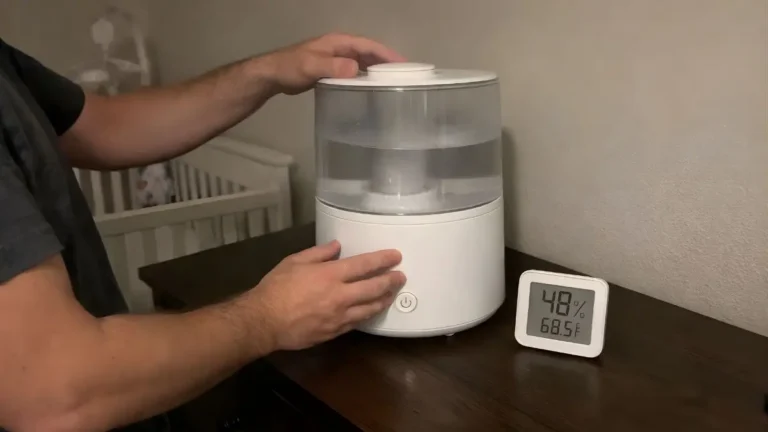
Instead of mist, you see the Levoit humidifier red light glowing even though there is still water in the tank.
If your Levoit humidifier red light stays on with a full tank, start by checking the water-level mechanism, tank seating, mineral buildup, and whether the humidifier is sitting level. A power cycle can also clear a temporary control error.
Indicator behavior can vary between Levoit models, so if your unit behaves differently from the steps below, check the manual for your exact model before taking anything apart.
Quick Dad Diagnostics
- Red light with a full tank: Check tank seating, the water-level mechanism, mineral buildup, and whether the unit is level.
- Levoit humidifier red light blinking: Check your exact model manual because blinking indicators can vary between models.
- Levoit humidifier red light no water error: If water is clearly present, inspect the water-level mechanism for sticking or mineral deposits.
- Recurring problem: Mineral-heavy tap water can accelerate buildup inside ultrasonic humidifiers.
Fix 1: Check the Water-Level Mechanism
A common Levoit humidifier red light no water situation happens when the humidifier does not correctly detect the water already sitting in the base.
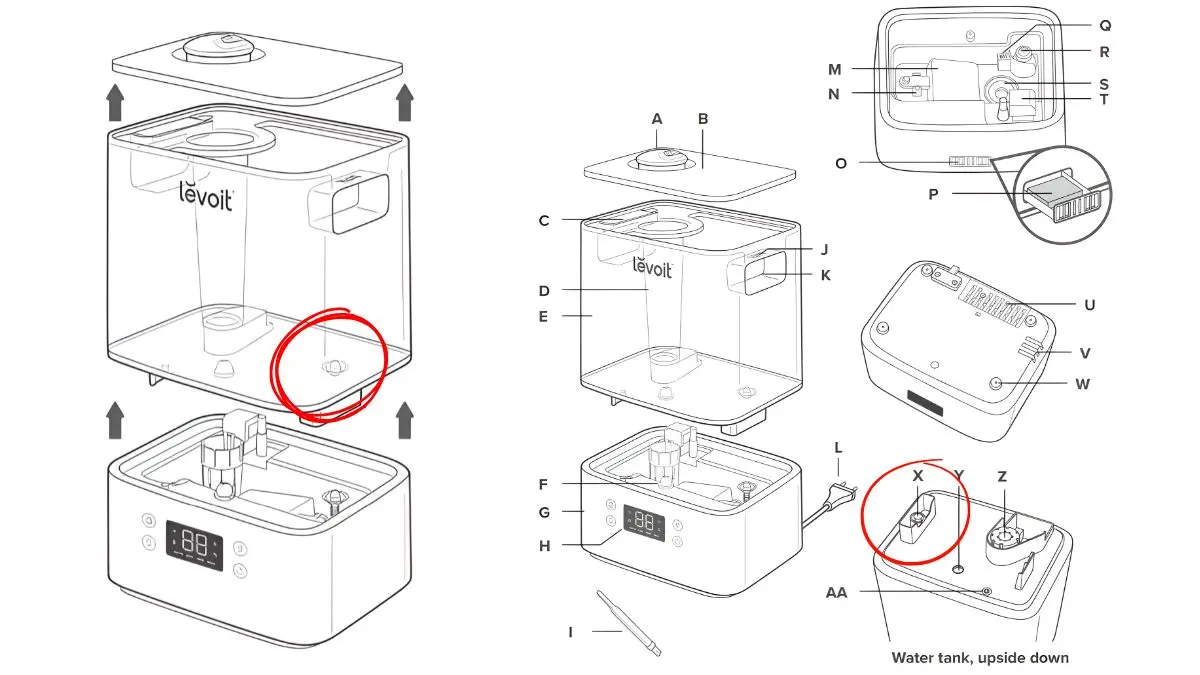
Many ultrasonic humidifiers use a physical water-level mechanism inside the lower basin. Depending on the model, this may include a small float or similar component that moves as the water level rises and falls.
Unplug the humidifier and remove the tank. Look inside the lower basin for the movable water-level component identified in your model manual.
If you can see a float, gently check whether it moves freely. Mineral deposits can sometimes cause moving parts to stick. Do not force the component or remove parts that are not designed to be removed.
Fix 2: Descale Mineral Buildup
If the water-level mechanism feels sticky or you can see white mineral residue inside the basin, mineral buildup may be interfering with normal operation.
Unplug the unit and follow the cleaning instructions for your exact Levoit model. Household white vinegar is commonly used for descaling compatible humidifier components, but the soak time and cleaning procedure should follow the manufacturer’s instructions.
Use a soft cloth or soft-bristled brush to loosen mineral deposits without damaging the basin or transducer. After cleaning, rinse the water-contact areas thoroughly according to the manual before running the humidifier again.
Dad Test: Descaling Checklist
- Power: Keep the humidifier unplugged while cleaning.
- Cleaner: Use only cleaning products appropriate for your specific model.
- Tools: Use a soft cloth or soft-bristled brush rather than abrasive tools.
- Goal: Remove mineral deposits without flooding or damaging electronic areas.
Fix 3: Reseat the Tank and Check Water Flow
If the tank is not seated correctly, water may not flow into the lower basin as intended.
Remove the tank and inspect the contact area between the tank and base. Make sure there is no debris, mineral buildup, or object preventing the tank from sitting flat.
If your model uses a spring-loaded water outlet on the bottom of the tank, inspect it for visible buildup and make sure it is not physically jammed.
Then reinstall the tank carefully and allow a few moments for water to enter the basin.
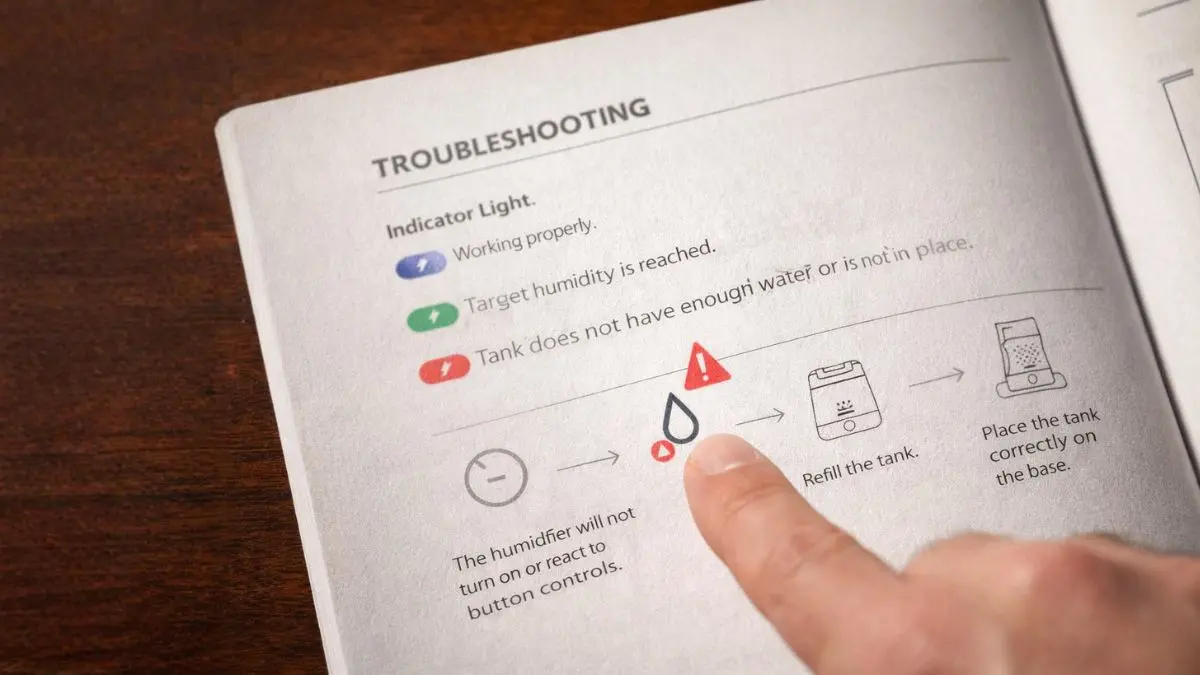
If you are specifically seeing a Levoit humidifier red light blinking, do not assume the blinking pattern means the same thing across every Levoit model. Check the indicator section of your model manual for the exact meaning.
Fix 4: Levoit Humidifier Red Light Reset
If the tank is seated correctly and the humidifier is clean but the indicator remains on, try a simple Levoit humidifier red light reset by power-cycling the unit.
- Turn the humidifier off using its normal power control.
- Unplug it from the wall outlet.
- Wait approximately 60 seconds.
- Reconnect the humidifier directly to the outlet.
- Turn it back on and check the indicator.
A power cycle will not fix a physically stuck water-level component or mineral blockage, but it can clear a temporary control-state issue after the underlying problem has been corrected.
Fix 5: Make Sure the Humidifier Is Level
Humidifiers are designed to operate on a stable, flat surface. If the unit is noticeably tilted, the water level inside the basin may not sit where the water-level mechanism expects it.
Move the humidifier to a solid, level surface and test it again before assuming an internal component has failed.
Do not place cardboard, towels, or other absorbent materials directly underneath the humidifier as a permanent leveling solution. If the furniture itself is uneven, correct the furniture or move the humidifier to another suitable surface.
Correct placement matters beyond troubleshooting. If this humidifier is being used around a baby or toddler, see our complete
Humidifier Safety Guide for Infants
for placement, cleaning, and humidity guidance.
Fix 6: Reduce Mineral Buildup With Better Water
If the Levoit humidifier red light keeps returning after cleaning, your water quality may be contributing to the problem.
Mineral-heavy tap water leaves calcium and magnesium deposits behind as water evaporates. Over time, those deposits can accumulate on water-contact surfaces and moving components.
Using distilled or appropriately purified water can greatly reduce mineral buildup and white dust in ultrasonic humidifiers.
Ultrasonic mist can also affect some optical air-quality sensors because tiny water droplets may temporarily be interpreted as airborne particles. If you operate an air purifier and humidifier in the same room, give the devices adequate separation.
Our
air purifier vs humidifier guide
explains how to run both devices in the same nursery without creating unnecessary sensor conflicts.
Still Getting the Red Light?
If the tank is seated correctly, the unit is level, mineral buildup has been removed, and the red light still returns, the problem may be beyond routine maintenance.
If you are considering a replacement that is designed to come apart for easier cleaning, read our
Miro Humidifier Review
before buying another humidifier.
Frequently Asked Questions
Can I bypass the Levoit humidifier red light?
You should not bypass the humidifier’s water-level protection or other safety controls. If the red light remains on, diagnose the cause using the manufacturer’s troubleshooting steps rather than modifying or defeating the protection system.
Why does my Levoit humidifier say no water when the tank is full?
If the tank is full but the humidifier still reports no water, check whether the tank is seated correctly, whether water is entering the lower basin, and whether the water-level mechanism is moving freely. Mineral buildup can also interfere with normal water detection.
What does a blinking red light mean on a Levoit humidifier?
The meaning of a blinking red indicator can vary between Levoit models. Check the troubleshooting or indicator-light section of the manual for your exact model rather than assuming every Levoit humidifier uses the same blinking-light code.
How do I reset a Levoit humidifier red light?
Turn the humidifier off, unplug it for about 60 seconds, reconnect it, and restart it. If the light returns immediately, continue troubleshooting the tank seating, water-level mechanism, mineral buildup, and water flow rather than repeatedly resetting the unit.
Can I leave vinegar in my Levoit humidifier overnight?
Follow the cleaning and descaling instructions for your exact Levoit model. Avoid extending vinegar soak times beyond the manufacturer’s recommended procedure because materials and electronic layouts vary between models.
- Environmental Protection Agency (EPA): Indoor air quality and humidity guidance.
- Levoit Official Support: Manufacturer manuals, product support, cleaning guidance, and model-specific troubleshooting information.